
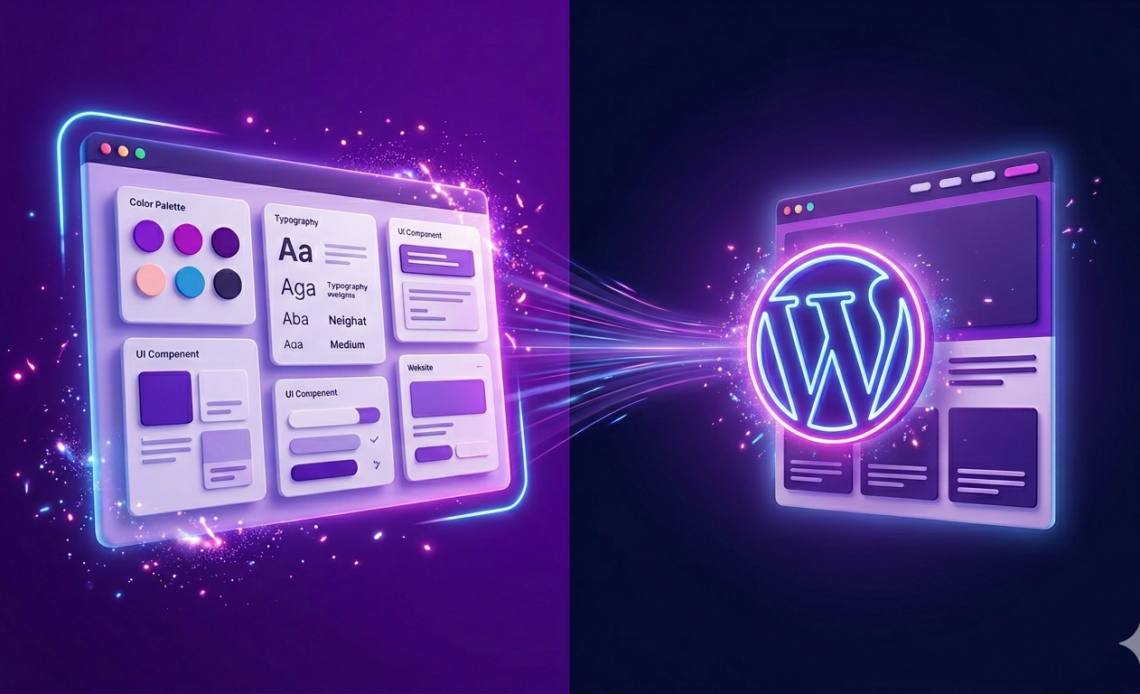
Claude dropped their latest project called Claude Design on the weekend and I spent most of it testing it out. I run a WordPress agency, I manage over 100 client sites and as someone who considered themselves more of a web developer than a web designer, I’ve been waiting for a tool like this for years. So this is my Claude Design WordPress review.
Table of Contents
This is the honest walkthrough of what I built, what worked, what didn’t, and where it fits in the WordPress developer workflow.
Quick comparison: tools for WordPress design in 2026
| Tool | Best for | Free tier | What you actually get | Watch out for |
|---|---|---|---|---|
| Claude Design | Concept + brand kit | Yes (with Claude plan) | Full design system, brand guidelines, mockup pages | Early access, still maturing |
| Claude Code | Turning design into code | Yes (Claude Pro) | Writes the actual WordPress theme files | Needs technical setup |
| Hiring a designer | Custom, polished work | No | Human creativity, real strategy | Slow, expensive, bottleneck |
| Pre-built themes (Astra, Kadence) | Speed | Free tiers | Ready to install, customisable | Every site looks the same |
| Figma + manual build | Full control | Yes | Pixel-perfect design | Slow, expensive, requires both skills |
| Studio Code (WordPress) | WP-native AI builds | Yes (WP.com) | Local WP site with AI chat | Early access, limited on free tier |
Short version: if you’re a WordPress developer who can’t design, Claude Design plus Claude Code gets you further faster than anything else I’ve tested.
What Claude Design actually is
Claude Design is a design tool from Anthropic that generates brand systems and mockup pages from prompts and references. You feed it what you’ve got (logo, colours, existing website, any references), answer a few questions, and it builds out a design system.
For me that meant:
- Brand guidelines document with fonts, colour palettes, component styles
- Homepage mockup with sections structured for my business
- Blog mockup with a different style
- Button, card, form, and navigation component sets
It’s the kind of brand kit a designer would normally charge a few thousand pounds to put together, delivered in under an hour.
My situation before Claude Design
I’ve been building WordPress sites for 15 years. Started with template editing, moved into WordPress around 2010, and about 13 years ago I started working with a designerr, who’s my design partner at Gecko.
He handles design on client projects. He’s brilliant at it, and I rely on him for anything that needs proper design thinking. That partnership works because I can’t design and he can’t develop.
Where I hit a wall is the stuff between projects. Quick featured images, YouTube thumbnails, landing page mockups, prototypes I want to show a prospect before they sign. That stuff is too small to ship to my designer, too frequent to batch, and honestly beyond what I can produce on my own because I’m a developer, not a designer.
That gap has been my bottleneck for 13 years. Claude Design just made it a lot smaller.
Walking through what I built
Here’s what actually happened when I tested it on the weekend.
Setting up the design system
I opened Claude Design and it asked me to create a design system first. You give it what you have, it asks questions, and builds from there.
I fed it:
- My current WP Odyssey website (built on GoHighLevel, which I’m not proud of)
- My existing blog design
- Some colour preferences
- Logo
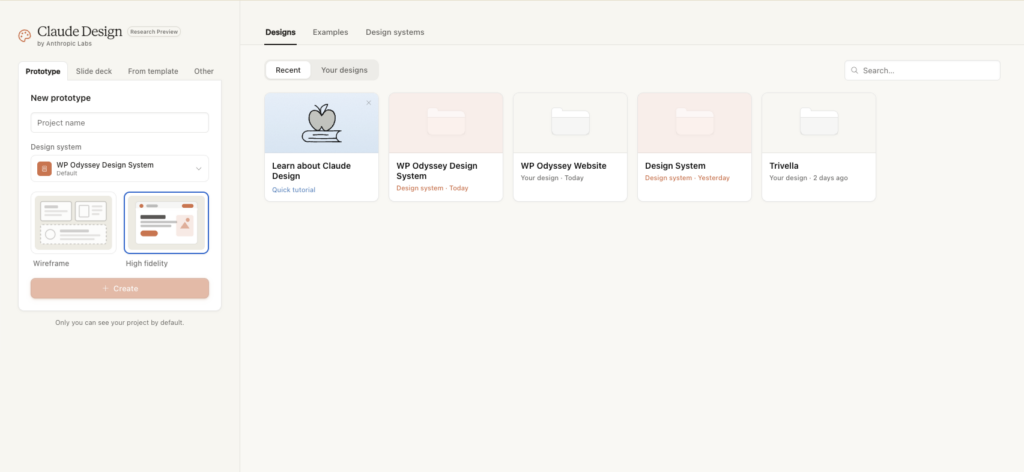
It asked questions about primary purpose, audience, tone, visual direction. I answered them honestly. A few I didn’t have strong opinions on so I said “you decide.”
What it generated
Within a few minutes I had:
- A brand guidelines PDF with my logo, typography system, colour palette (including gradient variants I hadn’t thought about), and component library
- A blog design that was cleaner than my current one
- A homepage design with sections structured around the beginner → paid tier → done-for-you journey I wanted
- Font recommendations, heading weights, spacing scales
- Success, warning, and error colour variants that stayed on-brand rather than using generic red and amber
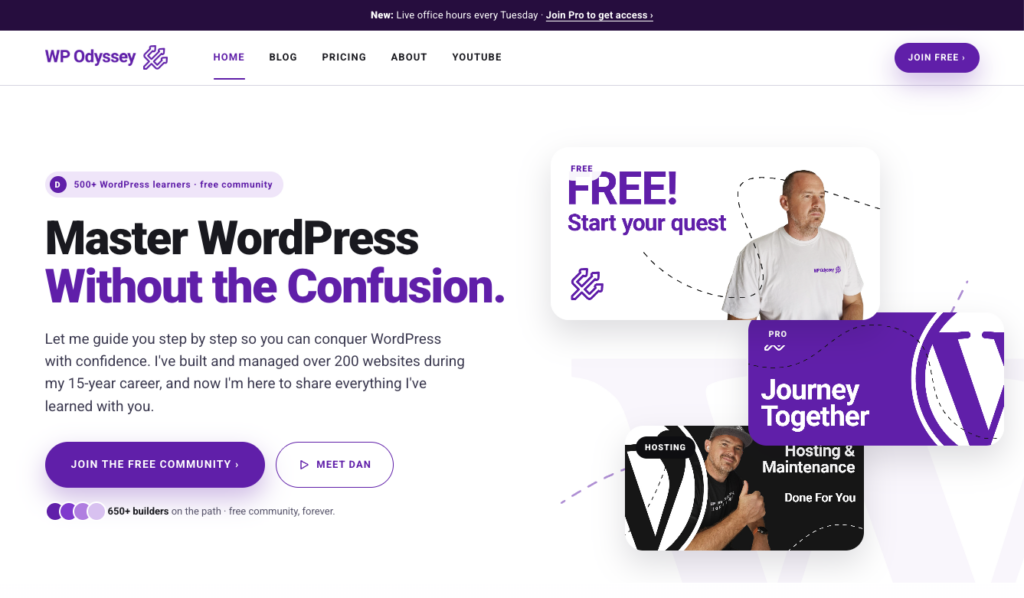
Not all of it was gold. Some iterations took several rounds of “needs work” before it got close. The logo rendering in the mockups used a generic WordPress logo instead of my Trident branding. Small stuff, easy to fix, but noticeable.
The handoff to Claude Code
This is where Claude Design started to pay off.
Once I was happy with the homepage design, there’s a button in Claude Design that hands the project off to Claude Code. It generated a prompt automatically and opened Claude Code with the design file referenced.
Claude Code took the design and built a WordPress theme from it. Created a GitHub repository, wrote a functions.php, the style sheet, the templates, and started building out the sections.
I installed the theme on a fresh WordPress installation. The design rendered 1:1 with what Claude Design had mocked up.
Total time from “opening Claude Design” to “working WordPress theme on a fresh install”: under two hours, and a lot of that was me iterating on the design.
The winning formula for WordPress developers
After the weekend, here’s how I see this working for any WordPress developer who’s not a designer:
- Claude Design handles the look and feel – brand system, layouts, component styles
- Claude Code handles the implementation – turns the design into an actual WordPress theme with real files
- Advanced Custom Fields (ACF) handles editability – makes the client-facing sections updateable in wp-admin
Three tools working together. Not AI replacing WordPress. AI making WordPress faster to build with.
This matters because of the debate I keep seeing online: “AI can build websites now, why would you use WordPress?” The answer is that AI-built sites (Lovable, Bolt, Wix’s AI tools) look flashy but fall apart when you need to edit them. You can’t hand them to a client. You can’t maintain them. You can’t do proper SEO on them.
A WordPress site built this way gives you the speed of AI development with the editability, SEO, and maintainability that made WordPress the foundation of 43% of the web in the first place.
What Claude Design gets right
- Speed (brand kit in under an hour)
- Design coherence (outputs actually feel like a system, not separate pages stitched together)
- The Claude Code handoff is genuinely useful
- Good enough for most small business sites without a human designer
- Free with your existing Claude plan
What it doesn’t get right (yet)
- Not as good as a real designer. Not close. For high-stakes client work, still hire a human
- Early access means bugs and limitations
- Some component generation is weak (tried YouTube thumbnails, output was bad)
- Logo handling in mockups is still shaky
- You’ll iterate more than the demos suggest
- Plus it uses up a lot of your weekly quota – be warned
Where Claude Design fits in my agency workflow
I’m not firing my designer. He’s still handling all of the important client design on on our projects. What Claude Design does is cover the gap I couldn’t ask him to fill:
- Internal Gecko stuff (my own blog redesign, landing pages, sales assets)
- Prospecting materials (visual mockups to send prospects before they sign)
- WP Odyssey content (featured images, thumbnails, course graphics)
- Quick prototypes where the goal is “show the client what we’re thinking” not “ship the final design”
For any freelancer or agency owner without a designer partner, Claude Design shifts what’s possible on solo-built sites. You can give clients something that looks unique without paying a designer, and you can iterate fast.
Claude Design WordPress Review: My verdict
Is it worth trying? Yes, if you have a Claude Pro plan or higher. It’s bundled in, so there’s no extra cost to experiment.
Is it going to replace designers? No. Not even close.
Is it going to change how I approach solo builds and quick design work? Yes, completely.
If you’re a WordPress developer who’s been held back by design, this is the first tool I’ve seen that actually bridges the gap.
Frequently asked questions
Is Claude Design free?
It’s bundled with any Claude subscription (from $20/month) and higher tiers. You’ll want at least Pro to get enough usage to actually build something, and Max ($100+) if you plan to use it heavily.
Does Claude Design work for WordPress specifically?
Not exclusively, but it plays well with Claude Code which can generate WordPress themes from Claude Design outputs. For pure WordPress AI dev, Studio Code (Automattic’s own tool) is worth a look but it’s early access and limited.
Can I use Claude Design for client work?
Yes, but with caveats. For small-business clients where the design just needs to be professional and on-brand, it’s enough. For clients who need strategic design thinking, brand positioning, or high-end visual work, still hire a designer.
How does Claude Design compare to Figma?
They’re different tools. Figma is a design editor where you do the work. Claude Design generates designs from prompts. If you want control, Figma. If you want speed, Claude Design. If you want both, use Claude Design to generate a starting point and Figma to refine.
Does the Claude Code handoff actually work?
Yes, for straightforward builds. I used it to turn a homepage design into a WordPress theme in under two hours. For complex multi-page sites with a lot of custom functionality, you’ll still need to guide Claude Code manually.
Will Claude Design replace my designer?
No. It’ll reduce how often you need them for quick, small, or internal design work. Keep your designer for the projects that need real design thinking.
What’s next for my workflow
Now that the theme is live on my staging environment, the next steps are:
- Making all the sections editable via ACF (so clients can update content without touching code)
- Refining the design iteratively using Claude Design’s revise-and-generate flow
- Testing the same process on a Gecko client site to see if it holds up at client quality
I’ll share what happens on my YouTube channel and in the free WP Odyssey community.
Try it yourself
If you want to see this workflow in action, I went live walking through it on my YouTube channel and in the WP Odyssey community on Monday. The full recording shows the setup, the Claude Design interface, the iterations, and the Claude Code handoff in real time.
If you’re a WordPress freelancer or agency owner working on how to use AI without losing the foundations that make WordPress worth using, the free WP Odyssey community is open.
That sounds really interesting, especially with your experience managing so many sites. I’ve been looking for a good design tool to streamline my workflow.